> ## Documentation Index
> Fetch the complete documentation index at: https://docs-staging-feat-one-trust-integration.mintlify.site/llms.txt
> Use this file to discover all available pages before exploring further.

> Learn how to configure your JWT Connection to sign, verify or decode JSON Web Tokens.

# JWT Vault Connection

## Configure your JWT Vault connection

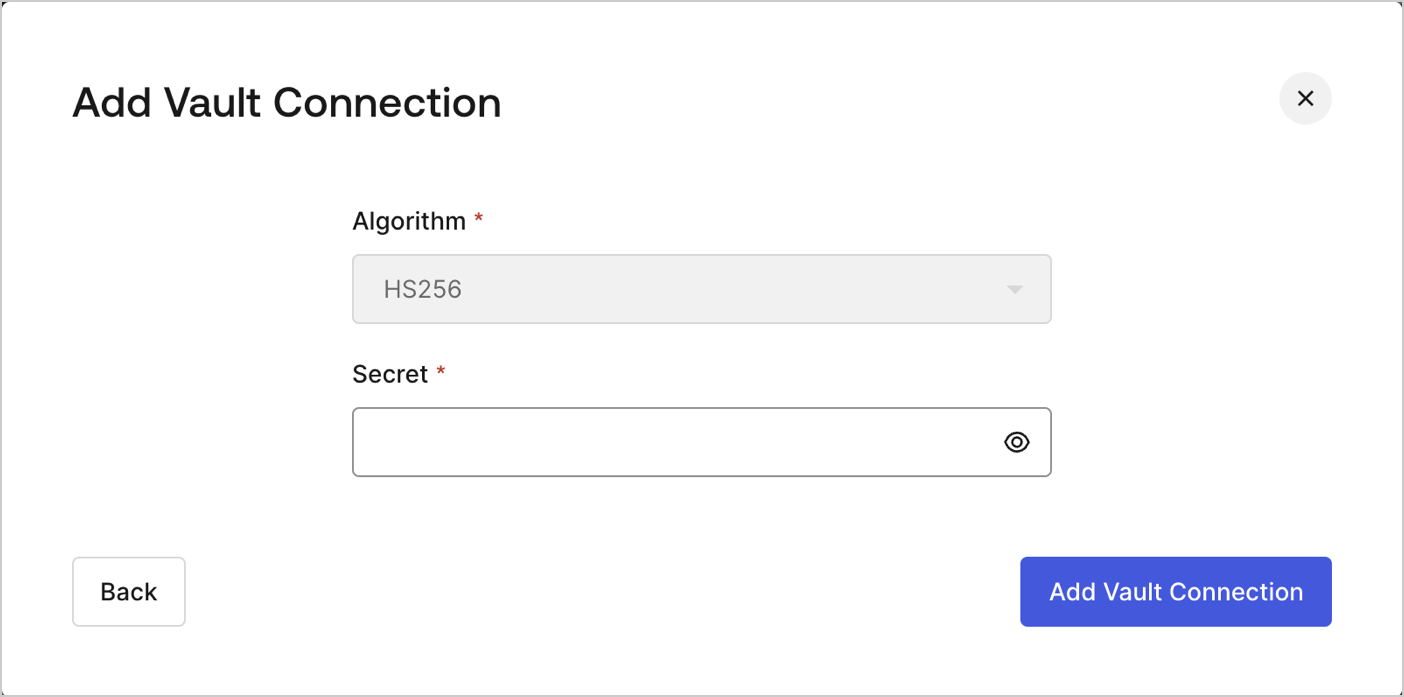
To configure an JWT Vault Connection for your Flows JWT Actions to sign, decode, and verify JSON Web Tokens, you need to set the required parameters.
<Frame>
  <img src="https://mintcdn.com/docs-staging-feat-one-trust-integration/_dfS7Cx7Q-l8s-lS/docs/images/customize/forms/vaults/jwt-vault-connection.png?fit=max&auto=format&n=_dfS7Cx7Q-l8s-lS&q=85&s=131fb7e37e5b9e5ff18bb359c4348fbb" alt="Dashboard > Actions > Forms > Vault > JWT" data-og-width="1404" width="1404" data-og-height="697" height="697" data-path="docs/images/customize/forms/vaults/jwt-vault-connection.png" data-optimize="true" data-opv="3" srcset="https://mintcdn.com/docs-staging-feat-one-trust-integration/_dfS7Cx7Q-l8s-lS/docs/images/customize/forms/vaults/jwt-vault-connection.png?w=280&fit=max&auto=format&n=_dfS7Cx7Q-l8s-lS&q=85&s=1233deb9d3ff4813710f27ad3dee513e 280w, https://mintcdn.com/docs-staging-feat-one-trust-integration/_dfS7Cx7Q-l8s-lS/docs/images/customize/forms/vaults/jwt-vault-connection.png?w=560&fit=max&auto=format&n=_dfS7Cx7Q-l8s-lS&q=85&s=2bd334a6a6e2a4bb2bd473c39efa339b 560w, https://mintcdn.com/docs-staging-feat-one-trust-integration/_dfS7Cx7Q-l8s-lS/docs/images/customize/forms/vaults/jwt-vault-connection.png?w=840&fit=max&auto=format&n=_dfS7Cx7Q-l8s-lS&q=85&s=fe166489c1b0072281333b1999bd8134 840w, https://mintcdn.com/docs-staging-feat-one-trust-integration/_dfS7Cx7Q-l8s-lS/docs/images/customize/forms/vaults/jwt-vault-connection.png?w=1100&fit=max&auto=format&n=_dfS7Cx7Q-l8s-lS&q=85&s=b9f49e87c083721a978e9dc379097b3e 1100w, https://mintcdn.com/docs-staging-feat-one-trust-integration/_dfS7Cx7Q-l8s-lS/docs/images/customize/forms/vaults/jwt-vault-connection.png?w=1650&fit=max&auto=format&n=_dfS7Cx7Q-l8s-lS&q=85&s=0f03463dbee492a6daaa4c94c44d8a79 1650w, https://mintcdn.com/docs-staging-feat-one-trust-integration/_dfS7Cx7Q-l8s-lS/docs/images/customize/forms/vaults/jwt-vault-connection.png?w=2500&fit=max&auto=format&n=_dfS7Cx7Q-l8s-lS&q=85&s=b63a3f46fdfaeb6238e13b09f0eb8cee 2500w" />
</Frame>

## Input settings

| Parameter | Description                                                 |
| --------- | ----------------------------------------------------------- |
| Secret    | Secret to be used in the HS256 algorithm to encode the JWT. |
